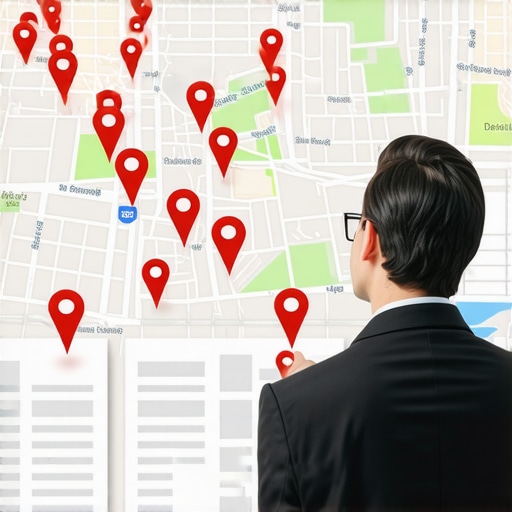

5 citation errors that send your Arizona customers to the wrong address
5 Citation Errors That Send Your Arizona Customers to the Wrong Address
Imagine this: A homeowner in Gilbert wakes up to a flooded kitchen. Panicked, they pull out their phone and search for an “emergency plumber near me.” Your business pops up in the local map pack. They click the “Directions” button, hop in their car, and drive five miles only to find themselves staring at a vacant lot or, worse, your competitor’s old office. This isn’t just a minor inconvenience; it’s a lost high-ticket contract and a permanent stain on your brand’s reputation.
As a Google Business Profile (GBP) Platinum Product Expert, I’ve seen this scenario play out thousands of times across the Valley. From Avondale to Phoenix to Gilbert, local businesses are hemorrhaging leads because of “messy” citations. In the world of google business profile seo, citations are the bedrock of trust. If Google cannot verify where you are or how to reach you, it simply won’t show you to potential customers.
In local SEO, we talk a lot about “NAP” – Name, Address, and Phone number. This trio is the DNA of your digital presence. Google’s algorithm prioritizes three main pillars: Proximity, Relevance, and Prominence. When your NAP data is inconsistent across the web, your “Prominence” and “Relevance” scores tank because Google no longer trusts that your data is accurate. In 2026, where proximity is a massive ranking factor, even a slight discrepancy in your address can push you off the first page.
Error #1: The “Ghost of Businesses Past” (Duplicate Listings)
One of the most common issues I encounter during a google business profile seo audit is the presence of duplicate listings. These are the “ghosts” of your business – old profiles on Yelp, Yellow Pages, or even Facebook that were created years ago by a former employee or an automated bot.
Why is this a problem? Google thrives on authority. When the algorithm crawls the web and finds three different listings for “Phoenix Plumbing Pros” with three slightly different addresses or phone numbers, it gets confused. Google doesn’t want to provide a bad user experience by showing a listing that might be wrong. Consequently, instead of picking the “best” one, it often suppresses all of them.
Duplicate listings dilute your “ranking power.” If you have 10 reviews on one profile and 5 on another, you’re splitting your social proof. To fix this, you need a robust google business profile audit tool to scan the web, identify these duplicates, and systematically merge or delete them. If you don’t clean up these ghosts, you are essentially competing against yourself in the search results.
Learn more about how Why Messy Business Citations Are Quietly Sending Gilbert Leads to Your Competitors and how to claim your territory back.
Error #2: The “Old Flame” (Outdated NAP Data)
Arizona is a fast-growing market. I see businesses moving from Phoenix to Gilbert or expanding from Avondale to Scottsdale every single month. The problem arises when a business updates its address on its website and Google Business Profile but forgets the other 80% of the internet. This is what I call the “Old Flame” error – you’ve moved on, but your old data is still hanging around.
When you leave your old address on secondary directories, you create a conflict. Google sees that 20% of your citations point to an old office in Phoenix while your main profile says Gilbert. This inconsistency causes a drop in your google business profile ranking. Google’s trust threshold is high; if it suspects your address is outdated, it will prioritize a competitor whose data is 100% consistent.
To combat this, you should utilize local seo software to sync your data across the “Big Three” data aggregators (Data Axle, Neustar Localeze, and Foursquare). These aggregators feed information to hundreds of smaller sites. By fixing the source, you fix the ecosystem. Maintaining consistency is vital if you want to rank google business profile listings effectively in a competitive market.
For a deeper dive into these technical pitfalls, check out The specific local directory errors keeping your shop off page one.
Error #3: The “Agency Trap” (Ownership & Email Errors)
This is a point I am particularly passionate about. Throughout my career as a GBP expert, I have seen far too many Arizona business owners lose control of their digital footprint because of the “Agency Trap.” This happens when a marketing agency creates your citations and Google Business Profile using their agency email address (e.g., [email protected]) instead of your business email.
If you decide to part ways with that agency, they effectively hold your citations hostage. Even if they aren’t being malicious, the process of transferring ownership is a headache that can lead to data being “orphaned.” When citations are orphaned, they can’t be updated. If your phone number changes next year, you’re stuck with the old one because you don’t have the login credentials for the original listings.
I always advise that you maintain primary ownership of your data. Use a professional google business profile management service that insists on you owning the “Primary Owner” status. Your digital assets are as valuable as your physical tools; don’t give the keys to someone else without a backup. This is a critical component of any long-term strategy to rank google business profile assets.
Before you hire your next firm, read The Simple Audit That Exposes If Your Arizona SEO Company Is Buying Cheap Citations.
Error #4: Service Area Business (SAB) Confusion
Many contractors in Gilbert and Avondale operate out of their homes. These are known as Service Area Businesses (SABs). A common, and potentially fatal, error is showing your home address on your Google Business Profile when you should be hiding it.
Google’s guidelines are very clear: if you do not have a physical storefront with permanent signage and set office hours where customers can walk in, you must hide your address. Failure to do so is a violation of Google’s terms of service and can lead to an immediate suspension.
However, many owners think that hiding their address will hurt their local search optimization. This is a myth. You can still rank exceptionally well as an SAB by defining your service areas by zip code or city. The error occurs when your citations on other sites (like Yelp or Angie’s List) show your home address while your GBP hides it. This creates a NAP discrepancy. You must ensure that even if the address is “hidden” on the map, the underlying data remains consistent across the web.
If you’re struggling with your map visibility, see our guide on How to Fix Your Google Maps Gilbert Pin When It Stops Showing Up for Locals.
Error #5: The “Cheap Citation” Syndrome
We’ve all seen the offers: “500 Local Citations for $10!” It sounds like a bargain, but in the world of citation building services, you get exactly what you pay for. These cheap packages are usually generated by bots and placed on “link farm” directories – sites that exist only to host low-quality links.
Google is smarter than this. The algorithm knows the difference between a high-authority citation on the Gilbert Chamber of Commerce website and a junk link on a directory that hasn’t been updated since 2012. In fact, having hundreds of “spammy” citations can actually trigger a manual review or a ranking penalty.
Quality always beats quantity. Instead of 500 junk links, focus on 50 high-quality, niche-specific, and Arizona-local directories. Think about the Greater Phoenix Chamber, local industry associations, and high-traffic sites like Bing, Apple Maps, and Nextdoor. This targeted approach is what a professional google maps ranking service will prioritize to ensure long-term stability.
To avoid falling for these low-quality tactics, read Stop Losing Gilbert Leads to Maps Competitors With These 3 Profile Fixes.
How to Perform a Citation Audit
Now that you know the errors, how do you fix them? A citation audit is the first step toward local dominance. Here is a simple framework to get started:
- Search Your Phone Number: Type your business phone number in quotes into Google (e.g., “(480) 555-0123”). Look at the results. Are there different business names attached to that number? Are there old addresses?
- Use a Google Maps Rank Tracker: Use a tool to see where you are currently ranking for your core keywords in different parts of the Valley. If your rankings are “spotty” – ranking well in one block but disappearing in the next – you likely have a citation consistency issue.
- Check the Big Three: Visit the sites of the major data aggregators and see what information they have on file for your business.
- Monitor Your Progress: Use local seo tools to track your cleanup efforts. It can take 30-90 days for Google to recognize and reward your updated information.
For those who prefer a visual walkthrough, I highly recommend looking for “Citation Building Guides” on YouTube from reputable sources like Chris Palmer or Whitespark. They provide excellent deep dives into the manual side of citation cleanup.
Conclusion: Don’t Let a Typo Cost You a $5,000 Contract
In the competitive Arizona landscape, your Google Business Profile is often the first – and only – impression you make on a customer. If your citations are sending people to the wrong address, you aren’t just losing a click; you’re handing your competitors a gift-wrapped lead.
Consistency is the currency of local SEO. By eliminating duplicate listings, updating your NAP data after a move, maintaining ownership of your profiles, correctly setting up your service area, and focusing on high-quality citations, you build a foundation of trust that Google will reward with higher rankings and more calls.
Don’t let a simple typo or an old listing from five years ago stand in the way of your growth. Audit your citations today or hire a professional google maps optimization service to clean up the mess and ensure your business is the one customers find when they need help the most.