What to say when you finally reach a human at Google Maps support
What to Say When You Finally Reach a Human at Google Maps Support
Section 1: The “Holy Grail” – Why Reaching a Human is Only Half the Battle
If you are reading this, you have likely spent hours – perhaps days – trapped in an automated email loop with Google. You’ve received the dreaded “Your profile has been suspended for quality issues” notification, followed by a generic “No-Reply” email that offers all the clarity of a brick wall. Reaching a live human at Google Business Profile (GBP) support in 2026 feels like finding the Holy Grail. But as a former Platinum Google Business Profile Product Expert, I have seen thousands of business owners finally get a person on the line, only to blow the opportunity within the first sixty seconds.
The mistake most people make is assuming the human agent is there to “investigate” your case from scratch. They aren’t. They are gatekeepers. They have a checklist provided by an algorithm, and their job is to tick boxes as quickly as possible to maintain their internal KPIs. If you don’t provide the right “keys” to those boxes, they will move on to the next ticket. Furthermore, many frustrated users try to reach out via Google Workspace support. Let me be clear: Google Workspace support does not handle GBP issues. They are separate departments with zero overlap. Wasting time there only delays your recovery.
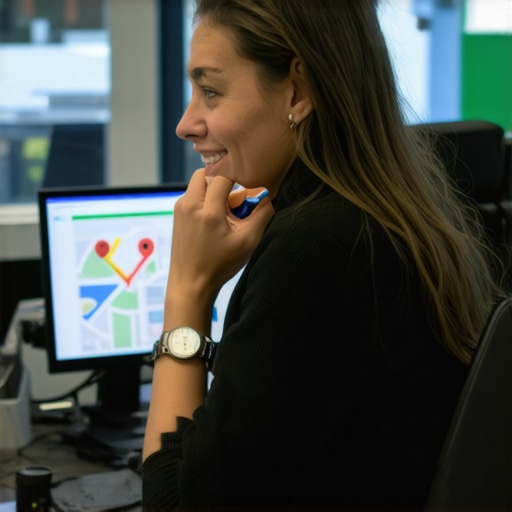
Once you reach a human – whether through a rare chat option or a scheduled callback – the clock is ticking. You are not just talking to a person; you are talking to a process. You need to be prepared to speak their language if you want to save your google business profile seo ranking.
Section 2: The “ROAR” Framework for Support Success
To navigate a live interaction successfully, I recommend the ROAR framework: Recognize, Organize, Accept, and Reinstate. This is the industry standard I’ve championed for years to help businesses get back on the map.
Recognize and Organize
Before you even attempt to contact support, you must Recognize what went wrong. Did your address change? Is your name stuffed with keywords? Once identified, you must Organize your facts. This means creating an “Evidence Folder” on your desktop that is ready to be screenshared or uploaded at a moment’s notice.
Your Evidence Folder must contain:
- A scanned copy of your official Business License.
- A recent utility bill (water, electric, or gas) that matches the business name and address on your profile exactly.
- Photos of your permanent, high-quality signage (if you have a physical location).
- Proof of registration with the Secretary of State.
Failure to have these documents ready is the number one reason reinstatements fail. If you are dealing with a sudden drop in visibility, you should check What to Do When Google Suspends Your Gilbert Business Profile Without Warning to ensure you haven’t missed a critical step in the “Recognize” phase.
Section 3: The Secret Paths to a Live Person in 2026
In 2026, the traditional “Contact Us” form is a shell of its former self. Google has shifted heavily toward Video Verification and Live Video Calls as the primary method for vetting businesses, especially Service Area Businesses (SABs) like plumbers, HVAC techs, and locksmiths. This shift was designed to combat the massive influx of spam, but it has made it harder for legitimate businesses to rank google business profile assets effectively.
To trigger a live interaction, you often need to go through the “Help Center” and select “Suspension” as your primary issue. If the automated tool fails, you may be prompted to “Get a call” or “Chat.” If these options aren’t appearing, it’s often because your profile has a “Hard Suspension,” meaning Google’s AI has flagged you as a high-risk entity. In these cases, using a google maps ranking service or professional local seo tools can help you identify hidden “Red Flag” errors in your data – such as a shared office space or a virtual address – that are preventing the “Live Chat” option from even appearing.
Section 4: The Script – What to Say (and What to Never Say)
When the agent finally says, “Hello, how can I help you today?” your heart might be racing. Take a breath. This is where you use the script. Remember: be professional, be concise, and be compliant.
The “Jason Brown” Reinstatement Script:
“Hello, I am the owner of [Business Name]. I am calling regarding Case ID [Number]. I have thoroughly reviewed the Google Business Profile guidelines and have confirmed that my business is fully compliant with all policies.”
“I have prepared a utility bill and a business license that match my registered address and name exactly. I am ready to provide these now. Can you please identify the specific ‘Quality Issue’ that triggered the suspension so I can rectify it immediately if any further adjustments are needed?”
What NEVER to Say:
- “I pay for Google Ads, so you should fix this!” (The support teams are entirely separate; this will only annoy the agent).
- “My competitor is doing the same thing!” (Google doesn’t care about your competitors; they care about your compliance).
- “This is costing me thousands of dollars a day!” (While true, emotional appeals do not bypass the technical checklist the agent must follow).
Agents are human. They deal with angry, screaming business owners all day. If you are the one person who is organized and compliant, they are significantly more likely to push your ticket to the “Manual Review” queue rather than hitting the “Reject” button. This is the fastest way to rank higher on google maps again – by getting out of the suspension penalty box.
Section 5: Navigating the 2026 Video Audit
If the agent moves you to a video audit, do not panic. This is actually a good sign – it means they are giving you a chance to prove you exist. In 2026, these audits are stringent. You will be asked to join a live Google Meet or use a specific recording tool.
To pass, you must show:
- Proximity: Start outside. Show the street sign and the exterior of the building.
- The Entrance: Show the building number and your permanent signage on the door or the directory.
- The Interior: Walk into the office. Show the workstation where you conduct business.
- The “Tools of the Trade”: If you are a plumber, show your branded van and your tools. If you are a lawyer, show your unlocked office and law library.
For a deeper dive into this specific process, read my guide on how to Pass the 2026 Google Maps Gilbert Video Audit First Try. This is the make-or-break moment for your gmb ranking service efforts.
Section 6: Beyond Support – Long-Term Profile Health
Getting your profile reinstated is only the first step. Once the “Suspended” red bar disappears, your rankings will likely be suppressed for a period. Google needs to “re-trust” your data. To regain your position, you need to double down on google business profile optimization.
In 2026, the algorithm has shifted. While reviews used to be the primary driver, proximity signals and entity authority are now king. If your business is located in a highly competitive area like Gilbert or Mesa, you need to understand that the physical location of the searcher matters more than ever. I’ve detailed this shift in my article on Arizona SEO: Why Proximity Signals Now Outweigh Reviews in 2026.
To maintain a high google business profile ranking, you must:
- Post weekly updates to your profile.
- Ensure your NAP (Name, Address, Phone) is consistent across the entire web.
- Use local seo services to monitor for “suggested edits” from competitors that could trigger another suspension.
Section 7: Conclusion & Call to Action
Reaching a human at Google is a rare opportunity. Don’t waste it by being unprepared or aggressive. By using the ROAR framework and the scripts provided above, you position yourself as a legitimate, compliant business owner who deserves to be on the map. The goal isn’t just to win the argument; the goal is to get your business back in front of customers who are searching for your services.
If you want to ensure your profile is bulletproof before you ever have to call support, or if you want to improve google maps ranking and increase google business profile visibility, it’s time to use the right tools. Use SEO Viper Tools to audit your profile today and catch the errors that lead to suspensions before Google does. Don’t leave your google maps seo to chance – take control of your local presence now.