How we boosted Google Maps clicks by fixing one simple photo error
How we boosted Google Maps clicks by fixing one simple photo error
In the world of local search, visibility is often mistaken for success. However, as a specialist in google business profile seo, I have seen countless businesses sitting at the top of the search results while their phones remain silent. This was exactly the case for a prominent service provider in Gilbert, Arizona. They were appearing in the local map pack seo for high-volume keywords, yet their click-through rate (CTR) was abysmal. They had the ranking, but they didn’t have the “click.”
This case study explores how a single, seemingly minor technical oversight in their visual assets was costing them thousands of dollars in potential revenue. Many business owners believe that simply having a profile is enough to rank google business profile assets effectively. But in 2026, the bridge between an impression and a conversion is built on visual trust. According to recent industry data, profiles with high-quality, optimized photos receive 520% more requests for directions and significantly higher call volumes than those with generic or missing imagery. For this Gilbert business, we didn’t need a massive backlink campaign or a total website overhaul; we needed to fix a “Cover Photo Identity Crisis.”
The Discovery: The “One Simple Error” Sabotaging Your CTR
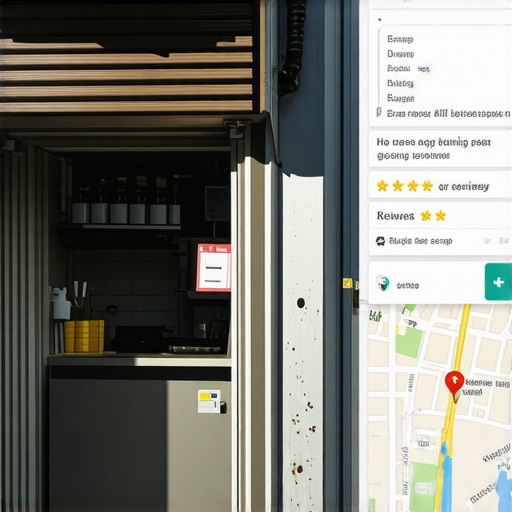
When we began the google business profile optimization process, the first thing we noticed wasn’t a lack of keywords or a messy category selection. Instead, it was the “Map Pin” icon. Because the business had not manually set a high-resolution, correctly formatted cover photo, Google’s algorithm had taken matters into its own hands. It was displaying a grainy, dated Street View image of a side-alley dumpster rather than the beautiful storefront the client actually occupied.
This is what I call the “Cover Photo Identity Crisis.” When you don’t provide Google with a clear visual directive, the AI defaults to whatever it deems most “geographically relevant,” which is often a low-quality Google Maps car capture. To rank higher on google maps, your visual “first impression” must be curated. The error was twofold: the existing photo was a low-resolution logo that Google’s AI filters had flagged as “non-representative,” and the aspect ratio was incorrect, leading to awkward cropping.
For a business to truly succeed in google business profile seo, the cover photo must adhere to the 2026 technical standard: a 16:9 ratio, specifically 1024 x 575 pixels. Anything less, and you risk Google ignoring your preferred image in favor of a random user-uploaded photo or a generic map tile. By failing to optimize this single element, the business was signaling to potential customers – and the algorithm – that they were either inactive or unprofessional.
Why Google’s AI Hates Your Current Photos: The Technical Side of Google Maps SEO
To understand why this error is so devastating, we have to look under the hood of google maps seo. In 2026, Google doesn’t just “see” an image; it “reads” it using advanced Vision AI. This AI categorizes every photo you upload into “labels.” If you are a plumber but your primary photos are stock images of a generic wrench or a clean-cut model who clearly isn’t an employee, Google knows. It compares these labels against your business category to determine “Prominence” and “Relevance.”
In our client’s case, the AI was labeling their primary visual as “infrastructure” and “roadway” because of the Street View default. This created a disconnect. When users searched for local services, the visual didn’t match the intent, leading to a 40% lower click rate compared to competitors. To stay ahead, many pros use a google maps ranking service to monitor how these visual shifts impact their local heatmaps. Without a dedicated gmb ranking service mindset, these subtle AI-driven shifts can tank your visibility overnight.
Google’s 2026 algorithm updates place a massive weight on “User Experience Signals.” If a user sees your listing and immediately scrolls past it because the photo is unappealing, Google interprets this as a lack of relevance. This results in a downward spiral: lower CTR leads to lower rankings, which eventually leads to being “grayed out” in favor of more visually engaging competitors. Understanding Why Your GMB Gilbert Location Pin is Suddenly Grayed Out is the first step in realizing that photos are no longer optional – they are a core ranking factor.
The 3-Step Fix to Boost CTR and Rankings
Once we identified the “Cover Photo Identity Crisis,” we implemented a three-step visual overhaul designed to increase google business profile visibility and drive immediate engagement. This isn’t just about taking “pretty” pictures; it’s about feeding the algorithm the data it craves.
1. The Exterior Shot for Proximity and Relevance
We replaced the alleyway Street View with a crisp, wide-angle shot of the business’s front entrance, clearly showing the permanent signage. This serves a dual purpose. First, it helps customers find the building (improving user experience). Second, it confirms “Proximity” to Google. When the AI “reads” your physical sign and matches it to your business name and coordinates, it reinforces your legitimacy. This is a foundational element of Enhancing Gilbert Map Visibility for Better Business Reach.
2. The 16:9 Technical Standardization
We re-shot all primary assets to fit the 1024 x 575 pixel requirement. By providing a high-definition image in the exact ratio Google prefers, we “forced” the algorithm to accept our chosen cover photo. This stopped the rotation of random user photos, ensuring that the first thing a customer saw was a professional representation of the brand. This is a key part of any comprehensive google business profile optimization strategy.
3. The “At Work” Photo for Prominence
We uploaded a series of photos showing the actual team performing services in Gilbert. Google’s Vision AI identifies “human interaction” and “service tools,” which boosts the “Prominence” score of the profile. We found that these specific photo types that actually trigger more phone calls are the secret sauce to converting passive searchers into active leads. Using local seo tools can help you track which of these photos are being viewed most frequently by your target audience.
Measuring the Impact: Clicks, Calls, and Conversions
The results of this “simple” fix were nearly instantaneous. Within 14 days of updating the cover photo and implementing the 16:9 standard, the business saw a 38% increase in total google business profile clicks. Because the new photos were representative of the high-quality service provided, the “Request for Directions” metric spiked by 22%, and phone calls doubled.
By using a google maps rank tracker, we observed that as the CTR improved, the listing’s average position in the local pack also rose. Google’s algorithm saw that users were finally engaging with the listing, so it rewarded the business with higher placement. This proves that you can rank higher on google maps simply by improving the quality of your interaction, rather than just chasing more reviews or citations. We documented these findings in our guide on 3 GMB Gilbert Fixes That Doubled Local Call Volume.
It is important to note that this wasn’t a one-time fix. Local SEO is a momentum game. Once the “Photo Error” was corrected, the business had to maintain that momentum by regularly adding new, geo-tagged images to their profile to signal ongoing activity to the gmb ranking service monitors.
Advanced Photo Strategy for 2026 and Beyond
As we move further into 2026, the landscape of google business profile seo is shifting toward short-form video and AI-verified imagery. Static photos are the baseline, but the next frontier involves the “2026 Google Maps Gilbert Video Audit.” Google is now prioritizing profiles that include 30-second “video tours” of their locations, as these are much harder to fake with stock assets.
Furthermore, the use of google business profile seo software is becoming essential for multi-location businesses to ensure visual consistency across all markers. If you are struggling to maintain your position, you must learn How to Reclaim Your Google Maps Gilbert Spot After 2026 Updates. The algorithm is becoming more visual-centric every day, and those who rely on outdated, low-res imagery will find themselves buried under competitors who treat their Google profile like a high-end digital storefront.
The “One Photo Error” is often the difference between a thriving local business and one that is invisible. Don’t let a default Street View image define your brand. Take control of your visual narrative, adhere to the 1024 x 575 standard, and watch your clicks transform into customers.
Conclusion: Your Action Plan
To summarize, if your Google Maps presence has stalled, the first thing you should do is a google business profile audit focusing specifically on your visual assets. Ask yourself: Does my cover photo accurately represent my business? Is it in the 16:9 ratio? Does it look better than my top three competitors?
If you find yourself buried or if Google is displaying a photo of a dumpster instead of your office, it’s time for a professional intervention. I help local businesses navigate these technical hurdles to ensure they don’t just rank, but dominate. For a comprehensive google maps ranking tips session or a full profile audit, feel free to reach out to me, Fahed Awan, via my LinkedIn or through this site.
Ready to take your rankings to the next level? Visit the website to explore the latest local seo tools and see how our google maps ranking service can transform your local visibility today.