
How to Talk to Google Support When Your Local Listing Gets Flagged for Spam
How to Talk to Google Support When Your Google Business Profile Gets Flagged for Spam
In the world of local search, there is no moment quite as gut-wrenching as the morning you wake up, check your metrics, and realize your business has vanished from the map. One day you are thriving, and the next, your pin is gone, your reviews are inaccessible, and your primary lead source has been severed. As a Platinum Google Business Profile Product Expert, I have seen this scenario play out thousands of times. Whether you are a plumber in Gilbert or a law firm in downtown Phoenix, the “spam” flag is the ultimate disruptor of your google business profile seo strategy.
1. The “Spam” Panic: Why Your Listing Disappeared
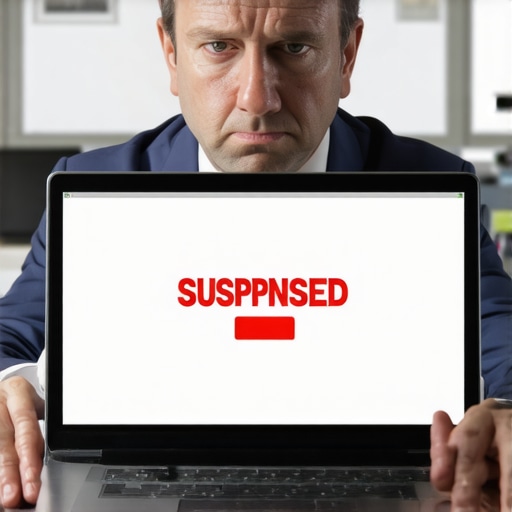
When a listing disappears, the first step is to identify the type of suspension you are facing. Google generally categorizes these into “soft” and “hard” suspensions. A soft suspension means you can still see your listing in your dashboard, but it is no longer visible to the public on Google Maps or Search. A hard suspension is more severe; the listing is essentially purged from the dashboard, and you may receive a notification that your access has been revoked due to a violation of guidelines.
It is important to understand that these “spam sweeps” are often algorithmic. Google’s AI constantly scans millions of data points to identify patterns associated with fraudulent behavior. Sometimes, legitimate businesses get caught in the crosshairs because their data looks similar to known spam patterns. If you find yourself in this position, you need to know what to do when Google suspends your Gilbert business profile without warning. The most critical takeaway is this: Google suspends profiles that appear to violate their guidelines, and the formal appeal process is your only bridge back to visibility. Do not panic, and more importantly, do not start clicking buttons randomly.
2. The Golden Rule: Stop Before You Click “Appeal”
The single biggest mistake I see business owners make – and I cannot stress this enough – is rushing to hit the “Appeal” button the second they see the suspension notice. Your instinct is to fix it immediately, but an appeal submitted without first correcting the underlying issue is almost guaranteed to be rejected. In the current ecosystem, you often only get one real shot at a “clean” appeal where a human reviewer will give your documentation their full attention.
Google’s official stance is clear: “Do not submit multiple appeals for the same issue before receiving a decision.” Flooding the system with multiple requests doesn’t speed things up; it actually flags your account as suspicious, potentially leading to a permanent ban. Effective google business profile seo starts with total compliance. Before you even think about talking to support, you must perform a forensic audit of your profile to ensure it aligns perfectly with Google’s Terms of Service.
3. The Audit: Finding the “Spam” Trigger
Before you can talk to support, you must know what you are apologizing for – or what you are defending. Common triggers for spam flags include keyword stuffing your business name, using a virtual office or a UPS Store address, or maintaining multiple listings for a single physical location. If your legal business name is “Gilbert Plumbing Professionals” but your GBP name is “Best Gilbert Plumbers – Emergency Drain Cleaning & Repair,” you have violated the naming guidelines. This is the most common reason for a spam flag.
Technical rigor is required here. Look at your NAP (Name, Address, Phone) consistency across the web. If your website says one thing, your Secretary of State filing says another, and your Google profile says a third, the algorithm will lose trust in your data. In fact, why messy business citations are quietly sending Gilbert leads to your competitors is a lesson in how inconsistent data can trigger “spam” filters even if you aren’t intentionally trying to game the system. Utilizing GBP ranking tools during this phase can help you audit your current visibility and identify where your data might be conflicting with third-party directories.
4. Gathering Your Evidence: The Documentation Arsenal
Google support agents do not want to hear your promises to “be better” or your complaints about how much money you are losing. They want hard, cold evidence. When you finally enter the appeals tool, you must have your “Documentation Arsenal” ready to upload. If you don’t provide these, your appeal will likely be denied within 24 hours.
The “Big Three” documents you need are:
- A Utility Bill: This must be a recent bill (water, electric, or internet) that clearly shows the business name and the exact address listed on your GBP.
- Business Registration: Your LLC paperwork, business license, or tax registration documents.
- On-Site Proof: Photos of your permanent signage (for storefronts) or your branded vehicle and tools (for service area businesses).
Claire’s Expert Tip: If you are a Service Area Business (SAB) operating out of a home office, you face a higher burden of proof. You must prove that you are a legitimate, tax-paying entity. Show photos of your branded van, your equipment, and your registration at your home address. Google needs to see that you are a real person doing real work, not a lead-generation bot.
5. Navigating the Appeals Tool UI
The days of the old manual reinstatement forms are gone. Today, we use the Google Business Profile Appeals Tool. This UI is designed to streamline the process, but it can be confusing for the uninitiated. When you log in, the tool will show you which profiles are eligible for appeal. You will select the suspended profile and then be prompted to upload your evidence.
Timing is a major pain point for business owners. While Google officially states that “appeal reviews and decisions can take up to 5 business days,” the reality on the ground is different. Industry data from sources like Thryv suggests that reinstatement requests can take anywhere from 1 to 5 weeks depending on the current backlog and the complexity of your case. During this waiting period, do not edit your profile further. Use local seo software to monitor the SERPs; often, you will see your listing reappear in the local pack before you even receive the confirmation email from Google.
6. What to Say When You Reach a Human
When you fill out the “Additional Information” box in the appeals tool, your tone is your most powerful asset. You are writing to a human support agent who is likely reviewing hundreds of these cases a day. They are looking for reasons to approve or deny you quickly. Be factual, concise, and professional. Do not use emotional language or threats of legal action.
Instead, use a clear, logical structure. State exactly what you changed to bring the listing into compliance. For example: “I have updated the business name to match our legal registration as filed with the State of Arizona. I have also removed the tracking phone number and replaced it with our primary local line. Attached is our business license and a recent electric bill for this location.” Knowing what to say when you finally reach a human at Google Maps support is about providing a path of least resistance for the agent to hit the “Approve” button.
7. Escalation: When the Appeal is Denied
If you receive the dreaded “Rejected” or “Not Approved” email, do not lose hope, but do realize that the path forward has become significantly narrower. At this stage, your best resource is the Google Business Profile Help Community. This is where Product Experts (like myself and colleagues like Ben Fisher) volunteer our time to help legitimate businesses navigate the final hurdles.
We can sometimes escalate cases that have been unfairly stuck in the system, but only if you have already gone through the formal appeal process and have a Case ID. Remember, sometimes suspensions aren’t just algorithmic; they are the result of manual reports. You should understand how to reclaim your Gilbert ranking after a competitor files a spam report, as the recovery process requires even more stringent proof of your physical presence and business operations.
8. Conclusion & Future-Proofing
Recovering a suspended listing is a marathon, not a sprint. Once you are reinstated, the work doesn’t stop. You must ensure that google business profile optimization remains an ongoing process of staying within the guidelines. Avoid the temptation to use “shady” tactics to rank higher on google maps. In the current era of local SEO, the most sustainable way to grow is through transparency, high-quality reviews, and a profile that is as clean as your documentation. If you find yourself stuck in a loop with Google support, don’t hesitate to reach out to a professional who understands the nuances of the 2025/2026 appeal standards.